I Built Ziko, an AI Voice To-Do Assistant: What Gemini Live, Wake Words and Linux Taught Me
How I built Ziko, a desktop pet that runs my to-do list by voice: Gemini Live tool calls, an on-device wake word, reminders that fire once, and Linux fights.


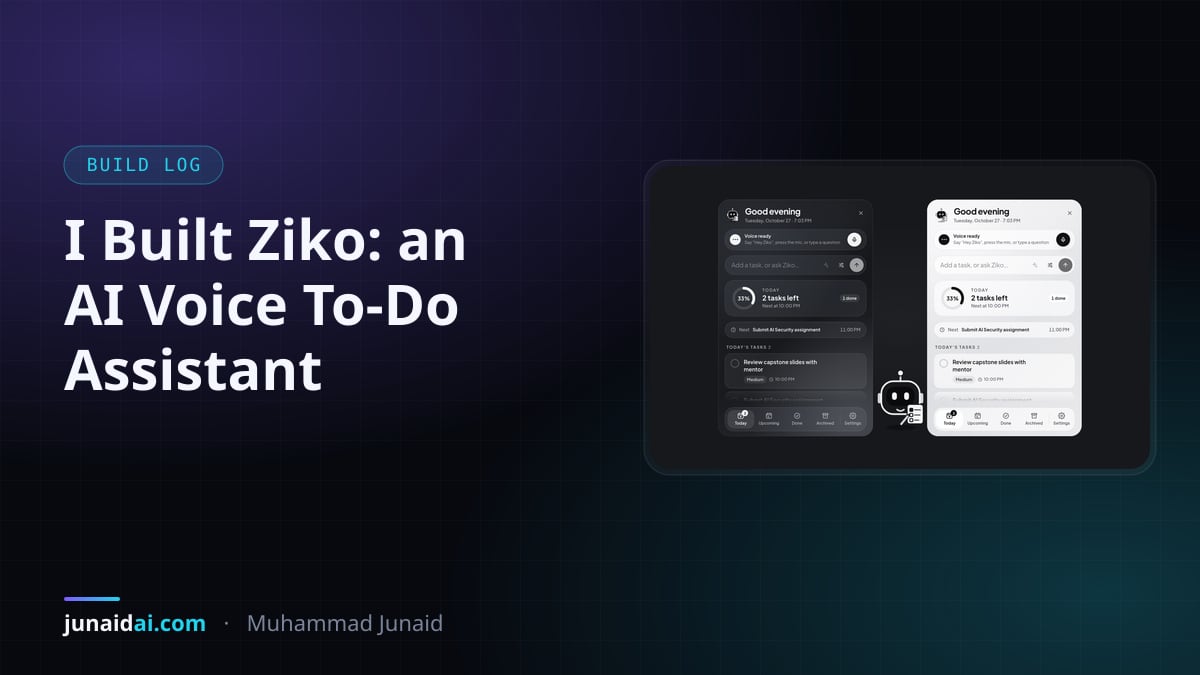
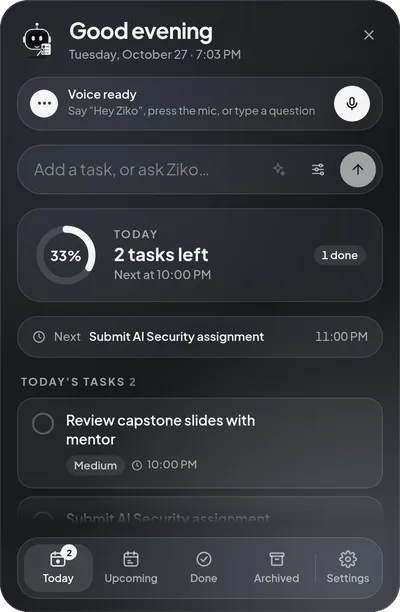
Ziko is a free, open-source AI voice to-do assistant for the desktop. It lives in the corner of the screen as a small robot holding a notebook. Say “Hey Ziko” and it answers “Hey Boss! How’s your day going? You’ve got one overdue task to look at, but otherwise, your next deadline is for your AI assignment tonight.” Then it turns whatever you say next into real tasks and reminders. The code is on GitHub under the MIT license, with a Linux installer and a Windows preview.
This post is the honest build log: the architecture, the three decisions that made it trustworthy, and the problems nobody warns you about when you put an always-on-top AI on a Linux desktop.
What does Ziko actually do?
You talk, it manages the list. “Add call the bank tomorrow at 11 and remind me an hour before.” “Move the report to Friday.” “What should I work on next?” “Tell me a joke.” Everything also works by hand — type, tick, drag — and with no API key or no internet, everything except voice keeps working.
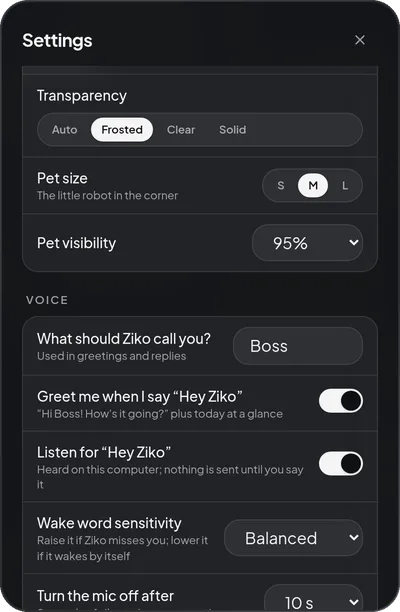
Under the hood it’s three parts:
| Part | Stack | Job |
|---|---|---|
| Desktop shell | Tauri 2 (Rust) + React 19 | The pet window, the task panel, tray, global shortcut |
| Backend sidecar | Python 3.12, FastAPI, SQLite | Tasks, reminders, the voice session, the wake word |
| Voice | Google Gemini Live | Understanding speech and speaking back |
Gemini Live is a speech-to-speech model: audio in, audio out, no separate transcription step. That made Ziko sound natural on day one. It also meant the interesting engineering was all around the model, not in it.
Decision 1: the model never touches the database
The fastest way to build a voice to-do app is to let the model write tasks however it likes. The fastest way to lose a user’s trust is for it to say “Done, I’ve added that” when it didn’t.
So Ziko’s model can only do eleven things: create, list, look up, update, complete and archive tasks; create, move and cancel reminders; read the daily summary; and check the current time. Each is a validated tool: arguments go through a Pydantic model, the work runs in its own database transaction, and the model hears the result only after the commit.
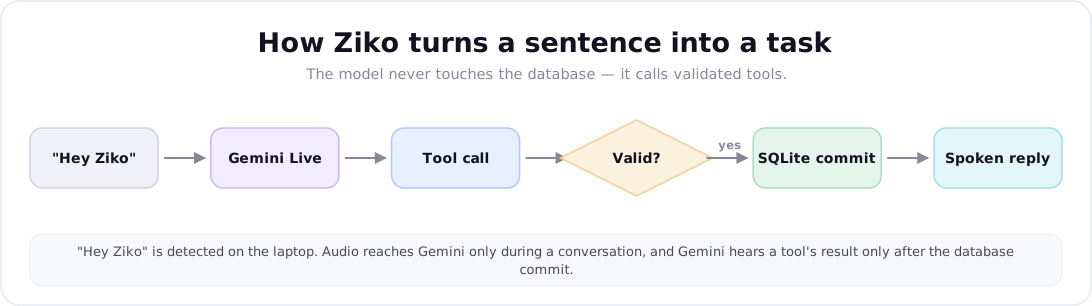
The whole guarantee is four lines (simplified from the real ToolRegistry.execute):
def execute(self, name: str, args: dict | None) -> dict:
    parsed = tool.args.model_validate(args or {})        # untrusted model output
    with session_scope() as s:                            # one transaction
        result = tool.handler(build_ctx(s, self.clock), parsed)
    return result  # reached only after the commit succeeded
Errors come back to the model as data it can explain — not_found, invalid_arguments, ambiguous. That last one matters more than it sounds: with “Call mom” and “Call mom about the trip” both on the list, “mark call mom as done” returns both candidates and the model asks which one. It never guesses. Deleting asks for confirmation first, and a vague time like “later” gets a follow-up question instead of an invented deadline.
One surprise from testing against the real API: Gemini Live ends a turn after every tool call and answers in the next one. If you treat every turn-complete as “the assistant is done”, the UI flickers back to idle mid-request. Ziko stays in Thinking… until a turn actually produces speech.
Decision 2: reminders that fire exactly once
Reminders are the one feature that must work with the AI off, the panel closed and the laptop just back from sleep. In-memory timers fail all three. Ziko uses a scheduler that polls SQLite every second instead.
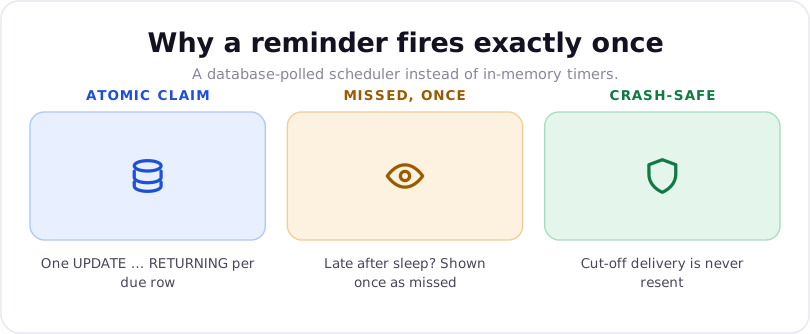
- Atomic claim. A due reminder is claimed with a single
UPDATE … RETURNING, so two scheduler ticks — or two processes — can never both deliver it. - Missed, once. Anything more than 60 seconds late wasn’t slow; the computer was asleep or off. It’s delivered once, labelled Missed. One rule covers restart, shutdown and sleep.
- Crash-safe. A reminder left mid-delivery by a crash is marked failed, not resent. In recovery, a duplicate notification is worse than a missed one.
All of it is tested with a fake clock: sleep for three hours, restart, run two schedulers on one database, crash mid-delivery.
Decision 3: the wake word stays on the laptop
“Hey Ziko” is detected by a small ONNX model I trained with LiveKit’s open-source wakeword toolkit on synthetic speech plus sound-alike negatives. Nothing is sent anywhere while Ziko waits. On ten real recordings of my voice it caught nine, with no false triggers on Gemini’s own speech or a minute of noise.
The bug worth knowing about: onnxruntime’s defaults spin one thread per core. On a 20-core laptop that tiny model burned roughly 1,800% CPU while idle. One non-spinning thread runs it faster, at roughly 7–13% of one core depending on what else the machine is doing.
Microphone handoff is the other half. The detector owns the mic only while it should: wake word on, not muted, no conversation running. On a hit it hands the mic to the conversation; when the conversation goes quiet for 10 seconds, the session closes and the detector takes the mic back.
What nobody tells you about a desktop pet on Linux
The pet is a 64-pixel transparent window that stays on top. On GNOME with Wayland and an NVIDIA GPU, that one sentence hid more problems than the rest of the app:
- Wayland won’t let apps stay on top or position their own windows. Ziko runs its windows through XWayland, where GNOME honours both.
- WebKitGTK’s DMABUF renderer draws stray lines around transparent windows on NVIDIA. It’s switched off.
- A non-resizable GTK window takes the webview’s natural size — 200×200 — whatever you asked for. The window is technically resizable, with its minimum and maximum pinned to 64.
- Window-decorating GNOME extensions draw a rounded border around every normal window, including a 64-pixel pet. Marking the windows as utility windows makes them skip it.
The lesson I’d keep: with the GPU renderer off, every looping animation is a software repaint. A softly spinning orb cost about 25% of a CPU core doing nothing. The pet is still between short, event-based moves — a blink, a glance, a doodle — so it idles near zero. Its eyes follow your mouse, but they move in whole steps rather than sliding, which took cursor tracking from 20.6% to 6.5% while the mouse moves non-stop.
Giving it a personality without losing the rules
A to-do list you talk to should feel like someone’s there. Ziko calls you Boss (or whatever you set), greets you with the day’s plan on “Hey Ziko”, celebrates finished tasks and tells a clean joke when asked — and laughs at it.
The greeting is a hidden turn: after the wake word, Ziko sends the model an instruction to call the daily-summary tool and say hello, which never appears in the transcript as something you said. The persona and the rules live in one system prompt, and the prompt says plainly which wins:
You are Ziko, {name}'s cheerful desktop buddy who looks after their to-do list.
Warm, upbeat, a little playful; short natural sentences.

Rules (these always win over personality):
- You can only act through the provided tools. Never claim you created, changed,
  completed or removed anything unless the tool result says "ok": true.
- Before interpreting any relative date or time, call get_current_datetime.
- If several tasks match, list them briefly and ask which one. Never guess.
- To remove a task, ask first, then call archive_task with confirmed=true.
If you’re building any assistant that takes actions, steal the last line of that header. Personality is easy to add. Keeping it from overriding the rules is the part to write down.
Results
- Tests: 97 backend (pytest, including the voice state machine against a fake Gemini), 29 frontend (vitest), plus Playwright UI flows run against real Gemini.
- Idle cost: about 0.9% of a 20-core CPU with the wake word listening, about 0.25% without it; ~830 MB of RAM across the app, two webviews and the backend.
- Privacy: tasks in local SQLite, wake word on device, the API key in the system keychain and never returned or logged — that last one is a test, not a promise.
The bottom line
The model was the easy part. What made Ziko trustworthy was everything around it: tools that commit before the model may speak, a scheduler that would rather report a reminder as missed than deliver it twice, a wake word that never leaves the laptop, and a pet that does nothing at all when there’s nothing to do.
Ziko is free — download it, read the user manual, or read the code. If you want a voice agent or AI assistant built with the same care for your product, see what I build or browse the other projects.

AI Engineer · Full-Stack Developer · GenAI/ML. Writing about building with AI.
Full profile →Read next
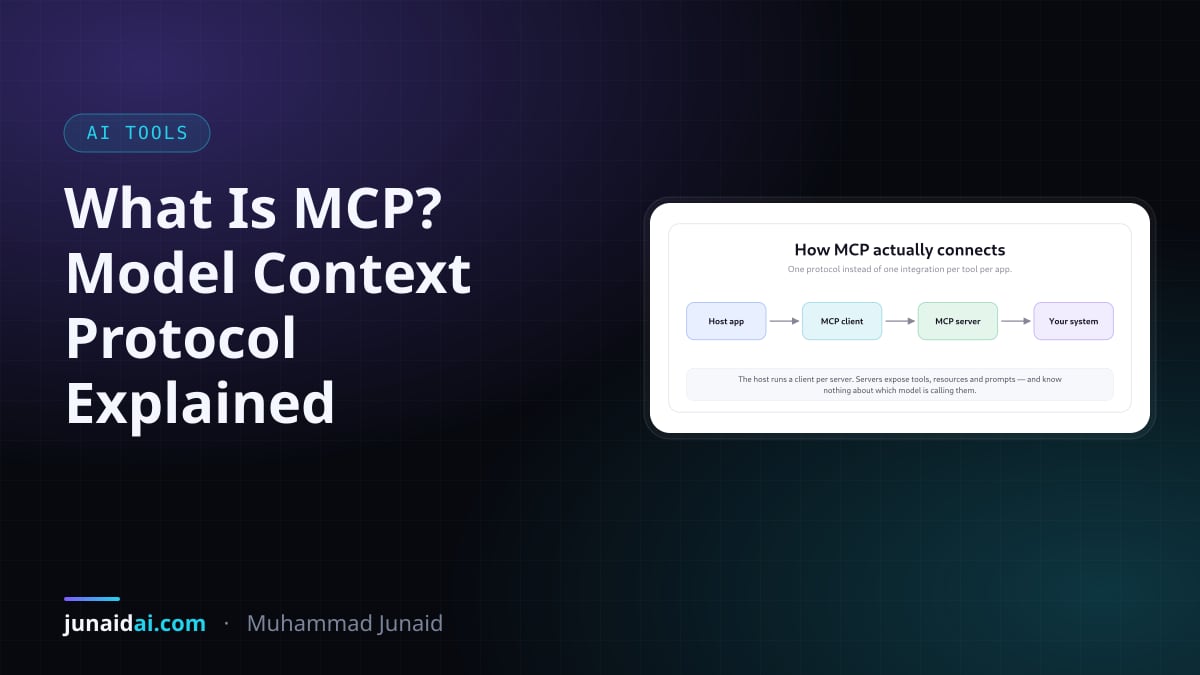
What Is MCP? The Model Context Protocol Explained for Developers
MCP is the USB-C port for AI tools — one protocol instead of one integration per app. How it works, what a server exposes, and where it still hurts.
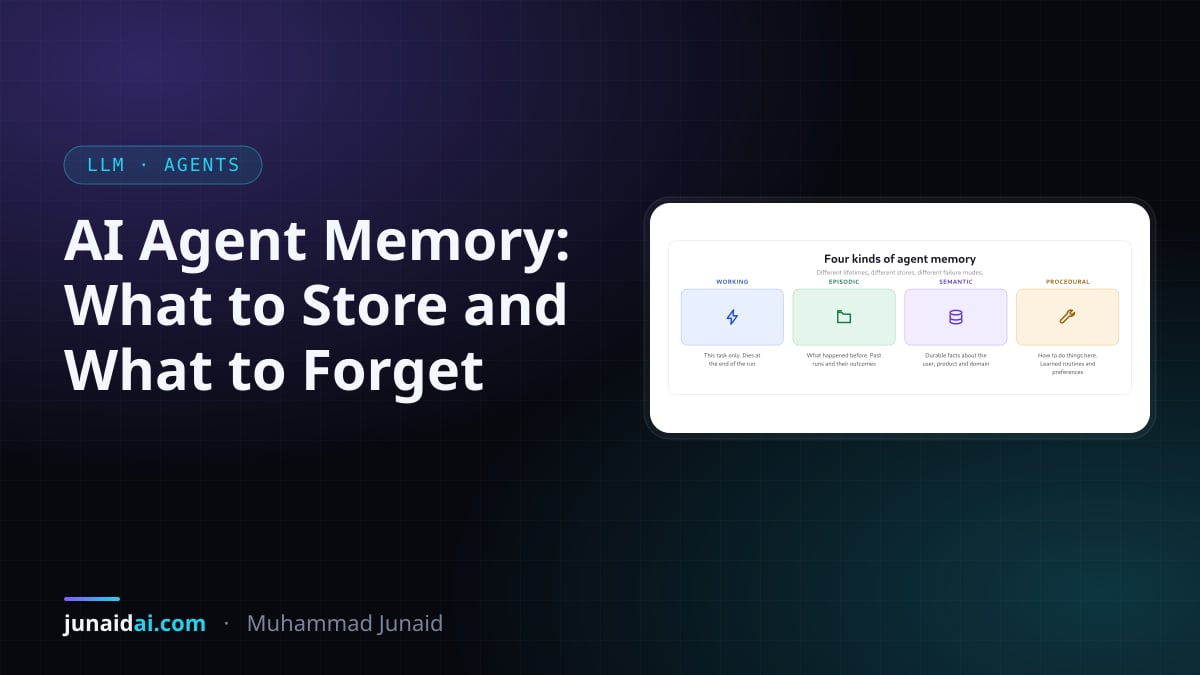
AI Agent Memory: What to Store, What to Forget, and Why the Write Path Matters
Agent memory is a real discipline now. The four types, why retrieval is the easy half, and how a naive memory system quietly poisons its own context.
Context Rot: Why Your LLM Gets Worse the More You Give It
More tokens in, worse output out — even well inside the context window. What context rot is, how it differs from lost-in-the-middle, and how to fix it.